Product Guide
Divide your Journals into Spaces
Spaces help you keep your NavList tidy and let you focus on your work not hunt through irrelevant journals.
Flojourn is so useful, you will probably find yourself using it for completely different tasks. For instance you might use it to manage some of your work information but also use it for hobbies or special interest subjects.
The problem with that is that your NavList gets full of lots of journals for all these different tasks and they are all jumbled up together.
Enter Spaces
The idea is that that you can put all of the journals for each different set of tasks into separate spaces. Then you can have only the journals from that one space in the NavList when you are working on that particular task.
When a journal is selected in the sidebar clicking the pencil opens some organisation options for the journal and one is to add it to a Space. You can also create a new space from there.
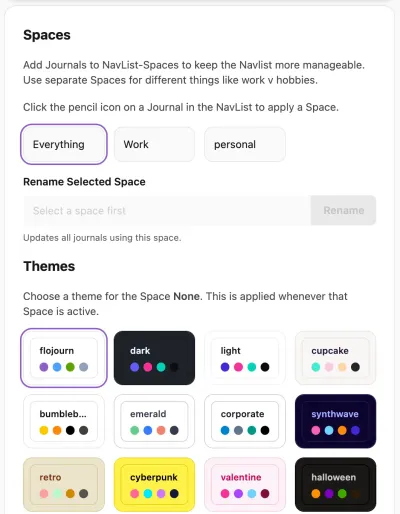
Once a Space has been applied to at least one journal, and you click on the Spaces item in the NavList, it will appear in the list of Spaces. Notice that there is always a Space called "Everything" so you can still see and find all your journals in one go.
When you click on one of the space names, it will change the NavList to show only the journals you have added to that Space. On a small screen you will not see this until you click the menu button in the top left.
Themes on a Space
To help remind you which space you are using, you can assign different colour themes to each space.
When you have a Space selected at the top of the page, click on one of the theme boxes in the lower part of the screen and see how that changes the appearance of everything.