
Product Guides

Flojourn Features

Explore detailed guides covering journals, entries, event management, embedding, exports, and more.

Managing Journals

Product Guide

Managing Journals

Journals allow you to organise your entries and control who can see and edit them.

  • Journals are the main organisational unit in Flojourn
  • Journals contain entries with the actual data
  • Journals can be public, private or request
Read guide

Journal Entries

Product Guide

Journal Entries

All data is stored in entries which are mostly text but can include other elements for a richer experience.

  • All data is stored in entries
  • Entries can be formatted with text styling
  • Entries can include images, dates and locations

Read guide

Authentication and Identity

Product Guide

Authentication and Identity

Visitors can browse public journals without signing in but creating requires authentication.

  • Public Journals can be browsed like normal websites
  • Adding Comments or new journals requires login
  • No passwords no registration

Read guide

Event Management

Product Guide

Event Management

Journal entries with ddates are events. There are some basic tools for everyone and some advanced tools for Clieb Tier users.

  • Adding a date makes a journal entry an event
  • A journal can be viewed as a calendar
  • Club Tier adds more structure event tools

Read guide

Quick Overview of the Interface

Product Guide

Quick Overview of the Interface

This section is intended to be a quick overview of the areas of the app and defines some terminology.

Read guide

Buttons and Icons in Flojourn

Product Guide

Buttons and Icons in Flojourn

This page is a quick reference for the buttons and icons seen in various places in Flojourn.

Read guide

Why Flojourn Uses Web-App Architecture

Product Guide

Why Flojourn Uses Web-App Architecture

Flojourn runs in your browser, so it is easier to open, share, and keep up to date across all your devices.

  • Works on desktop, Android, and iOS
  • No app-store or installation required
  • Requires steps for capturing links from browser

Read guide

Managing Polls

Product Guide

Managing Polls

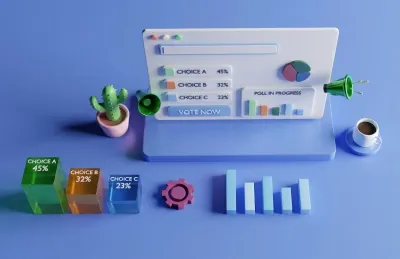
You can ask people a question with a poll to get feedback and to have fun.

  • Create a poll from an entry
  • Set the question and options
  • Set the poll duration

Read guide

Basket and Attachments

Product Guide

Basket and Attachments

Attachments allow you to create connections and hierarchies between entries.

  • Attachments are simply entries shown within other entries
  • Attached entries remain in their original journal
  • You can attach the same entry to many other entries

Read guide

Embed Journal Listing

Product Guide

Embed Journal Listing

You can embed a journal on your website so that changes in the journal are reflected immediately

  • Embed a journal on your website
  • Use it to show upcoming events
  • Share short messages and reminders for members

Read guide

Export Journal Listing

Product Guide

Export Journal Listing

You can export a journal in several different document formats, for printing and use in other ways

  • Export a journal in several different document formats
  • Print and use the exported data
  • Share the exported data with others

Read guide

Divide your Journals into Spaces

Product Guide

Divide your Journals into Spaces

Spaces help you keep your NavList tidy and let you focus on your work not hunt through irrelevant journals.

  • Add Journals to Spaces
  • Space shows a subset of your journals in the NavList
  • Spaces can have colour themes to make them look different

Read guide

Interaction Activity Notifications

Product Guide

Interaction Activity Notifications

Flojourn alerts yo to activity on your journals and entries by other users.

  • Interactions notify you when people follow your journals
  • Interactions let you know if your entries have replies
  • Interactions are used when requesting access to Request journals

Read guide

Libraries to Collect Related Journals

Product Guide

Libraries to Collect Related Journals

Flojourn allows you to collect related journals into libraries for easy sharing and access.

  • Collect related journals into libraries
  • Share libraries with others
  • Follow libraries to stay updated

Read guide

Outline Mode for Journals

Product Guide

Outline Mode for Journals

Flojourn allows you to organise journal entries into a hierarchy using outline mode.

  • Organise journal entries into a hierarchy
  • Create a table of contents for your journal
  • Navigate your journal using outline mode

Read guide